Marketing workflowsthat already knowyour business.
Fill in one profile, once. Then all 50 workflows and 151 prompts know what you sell, who buys it, how you sound — and what you are never allowed to claim.
01 / The problem
Why your AI marketing sounds like everyone else's.
Because it is everyone else's. Same model, same empty prompt box, same missing context — so it reaches for the average of the internet and hands it back to you, fluently.
You start from zero every single time
Every new chat has forgotten your ICP, your voice, your offer and last month's campaign. So you paste the same three paragraphs again — or you don't, and the output shows it.
It is confident, fluent, and completely generic
It reads fine. It says nothing only you could say. Publish enough of it and your brand starts to sound like a category instead of a company.
Nothing tells you when to run it
A prompt has no trigger. So the genuinely good ideas get run once, in a burst of enthusiasm, and then never again.
You cannot tell whether it worked
No baseline, no formula, no named metric. Six weeks later you have a great deal of content and no idea whether any of it moved anything.
It will invent things, cheerfully
Statistics that do not exist, case studies that never happened, claims you are not legally allowed to make. A blank prompt box has nothing in it that stops any of that.
The version that works lives only in your head
You know what good looks like for your business. It is written down nowhere, so you re-derive it from scratch every time — and so does everyone you delegate to.
None of this is fixed by more prompts. It is fixed by telling the model about your business once, and then wrapping every task in the four things a prompt does not have: a trigger, a data contract, reject criteria, and one number that says whether it worked.
02 / The fix
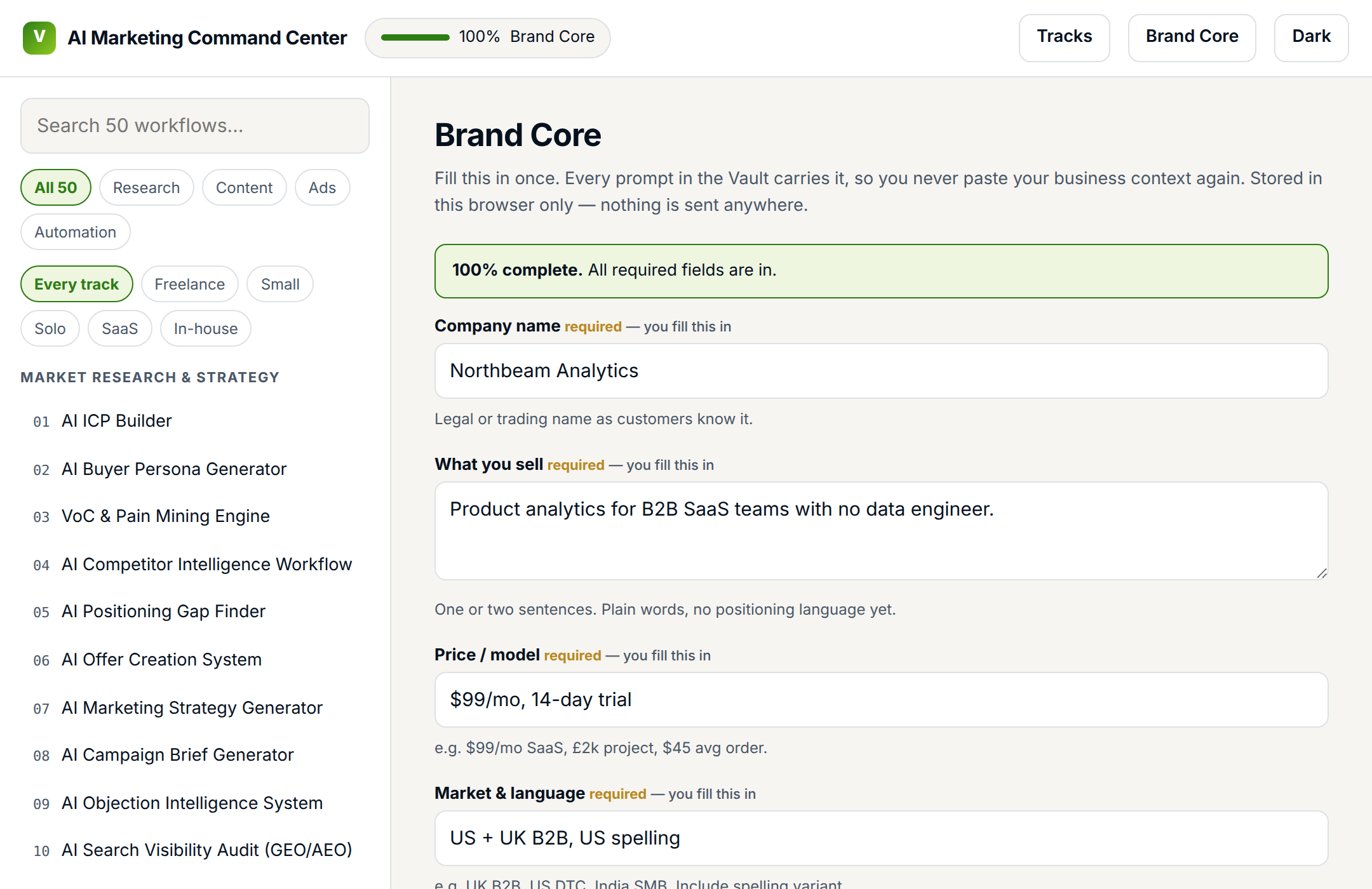
Fill in one profile. All 151 prompts already know your business.
This is the part a prompt pack structurally cannot do — and the reason an offline app is in the box rather than a folder of text files.
- You fill in five fields
What you sell, to whom, at what price, in which market, at what stage. Ten minutes, once, and never again.
- The workflows write the other twelve
Your ICP, personas, voice rules, proof assets, objections and banned claims get written by the workflows as you run them. The profile fills itself in.
- Every prompt carries it automatically
117 typed variables —
{{BRAND_CORE}},{{COMPANY}},{{WHAT_WE_SELL}}. Hit copy and your context is already inside it. - So the work compounds instead of restarting
Workflow 34 builds on what 1, 2 and 17 established. That is the difference between fifty prompts and one system.
What a prompt pack hands you
Write 5 ad headlines for my product.What one click copies here
[your company, what you sell, price, ICP, persona,
 voice rules, proof assets, banned claims
 — all already filled in from your Brand Core]

Write 5 ad headlines for my product.
03 / The first two weeks
What you will actually have, fourteen working days from now.
Pick a track and you get a dated plan — one workflow per working day, each producing a finished asset rather than a draft you will rewrite.
- Day 1A written ICP, and a disqualifier list
Who buys and stays — plus the observable signals that say don't bother. Both go into your Brand Core.
- Days 2–3Personas, and the words your buyers actually use
Mined from real customer language, not invented. This is the vocabulary every later workflow writes in.
- Days 4–5A positioning statement and an offer canvas
Where you sit that competitors don't, and an offer built to match it.
- Days 6–7A campaign brief and a month of calendar
Not a content idea list. A brief with an audience, an angle, a channel and a number to hit.
- Days 8–10Thirty content assets from one idea, in your voice
One source asset, thirty pieces, then run through the fact-check gate before anything ships.
- Days 11–12Ad angles and a creative testing matrix
A bank of angles, and a matrix that tells you which to test first instead of guessing.
- Days 13–14A KPI dashboard with real baselines
Baselined before you changed anything, so the next six weeks can be measured instead of argued about.
Nothing here requires you to be good at prompting. It requires you to answer five honest questions about your business and then follow the order.
04 / What makes it a system
Six stages on every workflow. Thirteen blocks on every card.
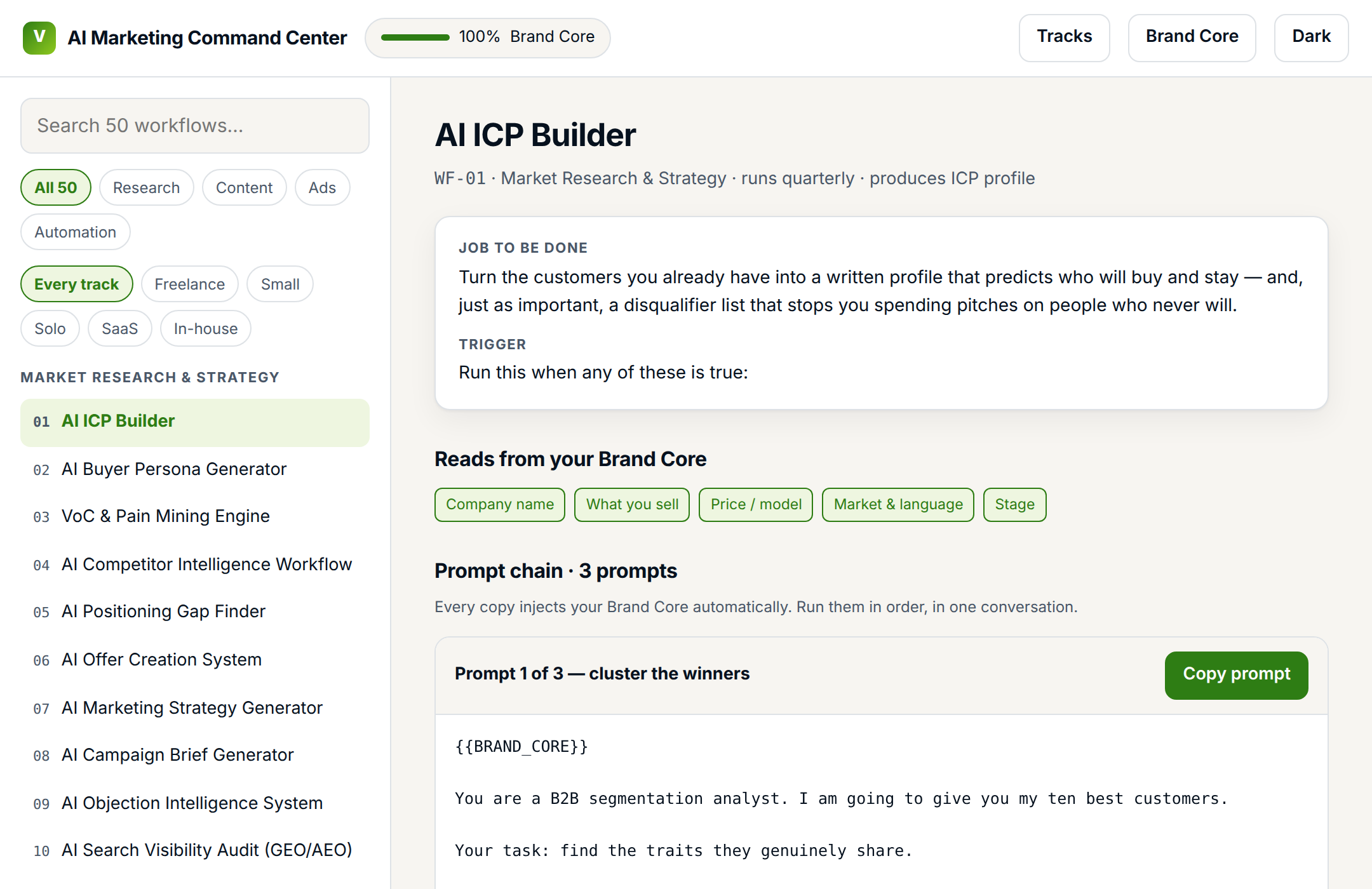
Most AI marketing content stops at the prompt — which is stage three of six. The stages either side of it are where the result actually comes from, and they are the parts nobody writes down.
A card missing any of these thirteen does not ship — enforced by an automated linter, not by eye. They average 2,820 words each.
One sentence, in your words — not a feature name.
A calendar date, an event or a threshold. Never “whenever.”
Each input: what it is, where to get it, what format, and whether it is free, paid or yours.
A free path and a paid path, with named tools.
This workflow’s six stages drawn with its real branches and loops.
Numbered prompts with role, context, constraints and an output schema.
Real input and the output it produced, using the running case brands.
B2B/B2C, industry, tone, length, market — and the exact line to edit.
What good looks like, explicit reject criteria, and the hallucination checks.
One KPI, its formula, how to baseline it, and a realistic range.
Minutes by hand versus minutes with this, plus the API cost.
The three ways it goes wrong, and the fix for each.
Manual → semi → full, with the platform and trigger named.
05 / The honest comparison
You can do some of this free. Here is exactly which parts.
ChatGPT is not the competition — you will still be using it, on every workflow in here. The question is what wraps around it.
| ChatGPT alone | A prompt pack | This | |
|---|---|---|---|
| Knows what you sell, to whom, in what voice | — | — | ✓ |
| Tells you when to run it | — | — | ✓ |
| Says exactly what data goes in, and where to get it | — | partly | ✓ |
| Has reject criteria for bad output | — | — | ✓ |
| Carries one KPI and its formula | — | — | ✓ |
| Later steps build on earlier ones | — | — | ✓ |
| Names the three ways it fails, and the fix | — | — | ✓ |
| Can run unattended on a schedule | — | — | partly |
Every one of those rows is a decision someone has to make. Right now that someone is you, from scratch, every time.
06 / The book
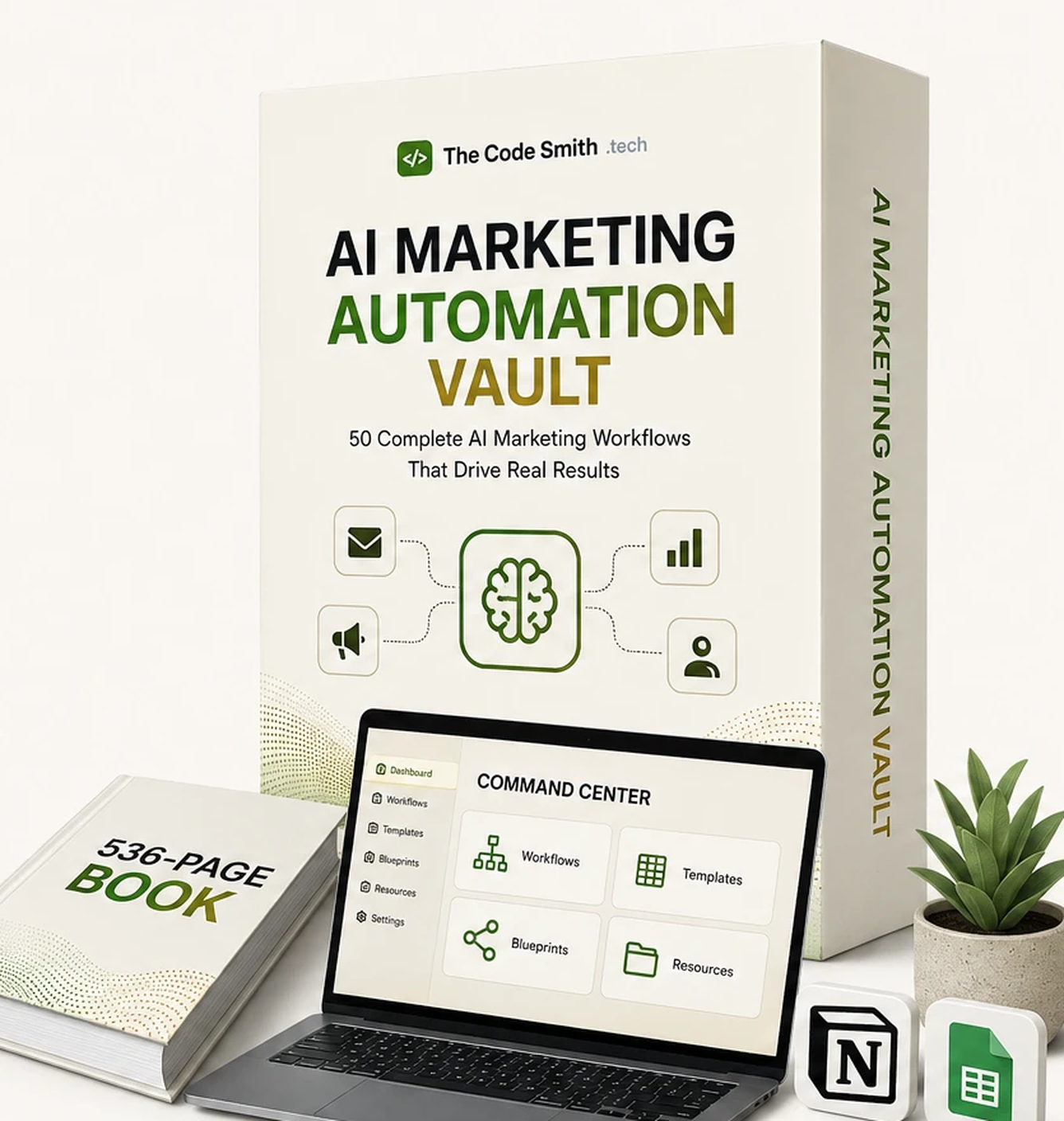
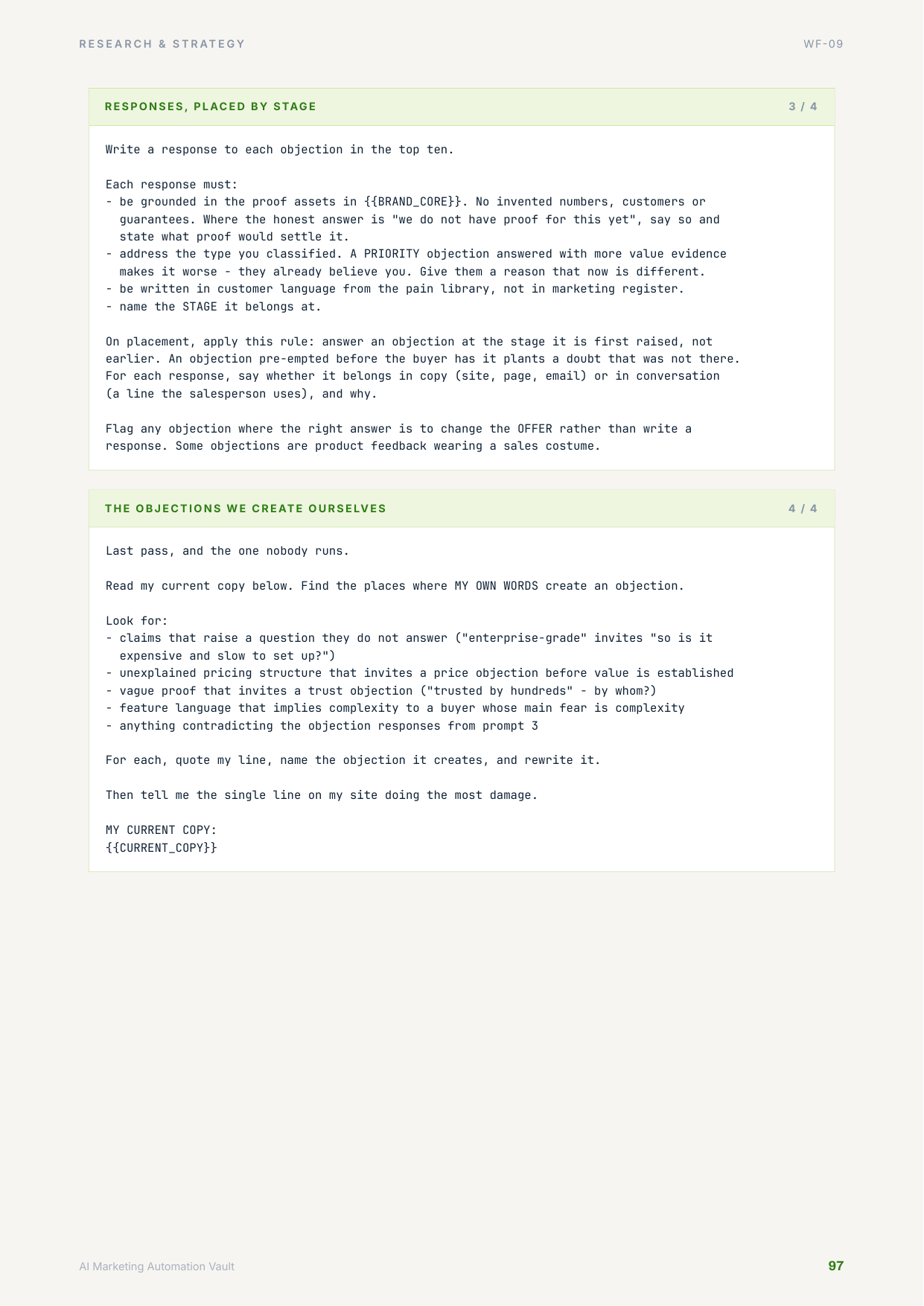
536 pages, and every single workflow is drawn.
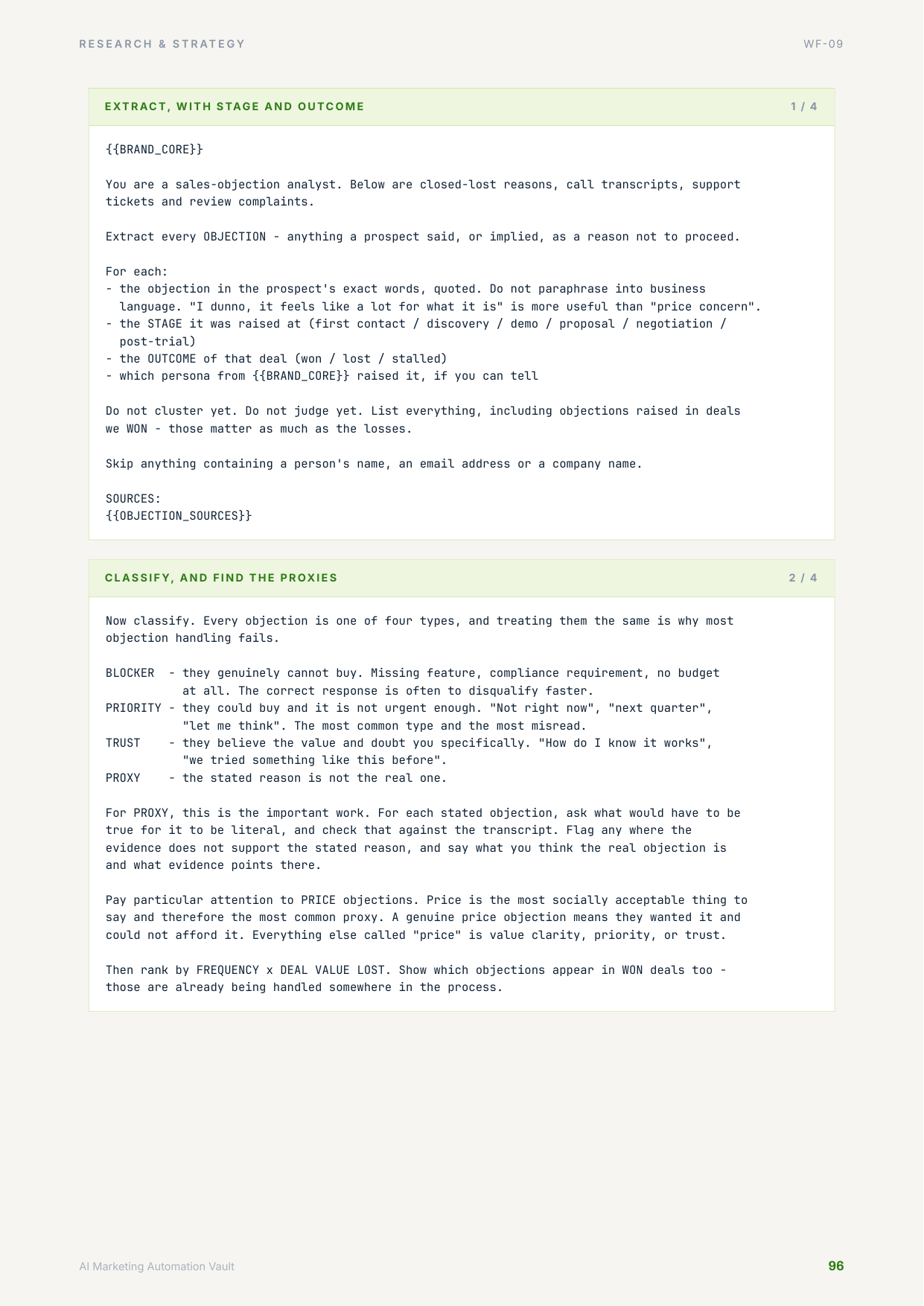
Each workflow gets its own diagram with its real branches and loops — 50 of them, drawn as vectors so they stay sharp in print. Prompts are set in a typeface chosen so copy-and-paste out of the PDF gives you the prompt back exactly, ligatures and all.
07 / Contents
All 50, named before you pay.
Not "50+ workflows" and a vague gesture. Here is every one, and what it produces.
Market Research & Strategy 15
- 01AI ICP BuilderICP profile
- 02AI Buyer Persona GeneratorPersona set
- 03VoC & Pain Mining EnginePain/language library
- 04AI Competitor Intelligence WorkflowCompetitor dossier
- 05AI Positioning Gap FinderPositioning statement
- 06AI Offer Creation SystemOffer canvas
- 07AI Marketing Strategy GeneratorStrategy one-pager
- 08AI Campaign Brief GeneratorCampaign brief
- 09AI Objection Intelligence SystemObjection/response bank
- 10AI Search Visibility Audit (GEO/AEO)AI visibility scorecard
- 11AI Market Trend Analysis WorkflowTrend brief
- 12AI Competitor Ad Analysis WorkflowAd teardown
- 13AI Pricing & Value Proposition AnalyzerValue-prop matrix
- 14AI Audience Segmentation WorkflowSegment map
- 15AI Marketing Opportunity ScannerRanked opportunity list
Content & Campaign Production 15
- 16One Idea to 30 Content Assets30 assets
- 17AI Brand Voice BuilderVoice card
- 18AI Monthly Content CalendarCalendar
- 19AI SEO + GEO Content Cluster PlannerCluster map
- 20Answer-Ready Content Rewriter (AEO)Rewritten page + FAQ
- 21AI Email Campaign BuilderSequence or broadcast
- 22Short-Form Video Engine30 clip scripts
- 23AI Lead Magnet GeneratorLead magnet
- 24AI Landing Page Content GeneratorLP copy
- 25AI Case Study CreatorCase study
- 26AI Webinar Campaign BuilderWebinar kit
- 27AI Product Launch Campaign GeneratorLaunch plan
- 28AI Social Media Campaign BuilderSocial campaign
- 29AI Content Refresh & OptimisationRefresh queue
- 30Authenticity & Fact-Check GatePublish/reject verdict
Advertising & Conversion 10
- 31AI Ad Angle GeneratorAngle bank
- 32AI Meta Ad Creative SystemMeta creative set
- 33AI Google Ads Copy WorkflowRSA copy set
- 34AI UGC Ad Brief GeneratorCreator brief
- 35AI Video Ad Script GeneratorVideo ad scripts
- 36AI Creative Testing MatrixTest matrix
- 37AI Landing Page Conversion AnalyzerCRO findings
- 38AI CTA Optimisation WorkflowCTA variants
- 39AI Ad Performance Analysis SystemPerformance verdicts
- 40AI Creative Fatigue DetectorFatigue alerts
Marketing Automation Blueprints 10
- 41Lead Magnet to Qualification to NurtureRouted, nurtured lead
- 42Content Engine: Source Asset to Review QueueQueued, gated assets
- 43Voice-of-Customer PipelineRefreshed verbatim library
- 44AI Search Visibility MonitorShare-of-answer trend
- 45Competitor Watch to Positioning AlertRated positioning alert
- 46Marketing Reporting EngineReconciled channel report
- 47Creative Fatigue Watchdog to Brief QueueDiagnosed refresh brief
- 48Publish Gate: Draft to ScheduledGated, scheduled asset
- 49Page Performance Watch to Test BacklogDiagnosed test backlog
- 50Brand Core SyncCurrent Brand Core
08 / Where to start
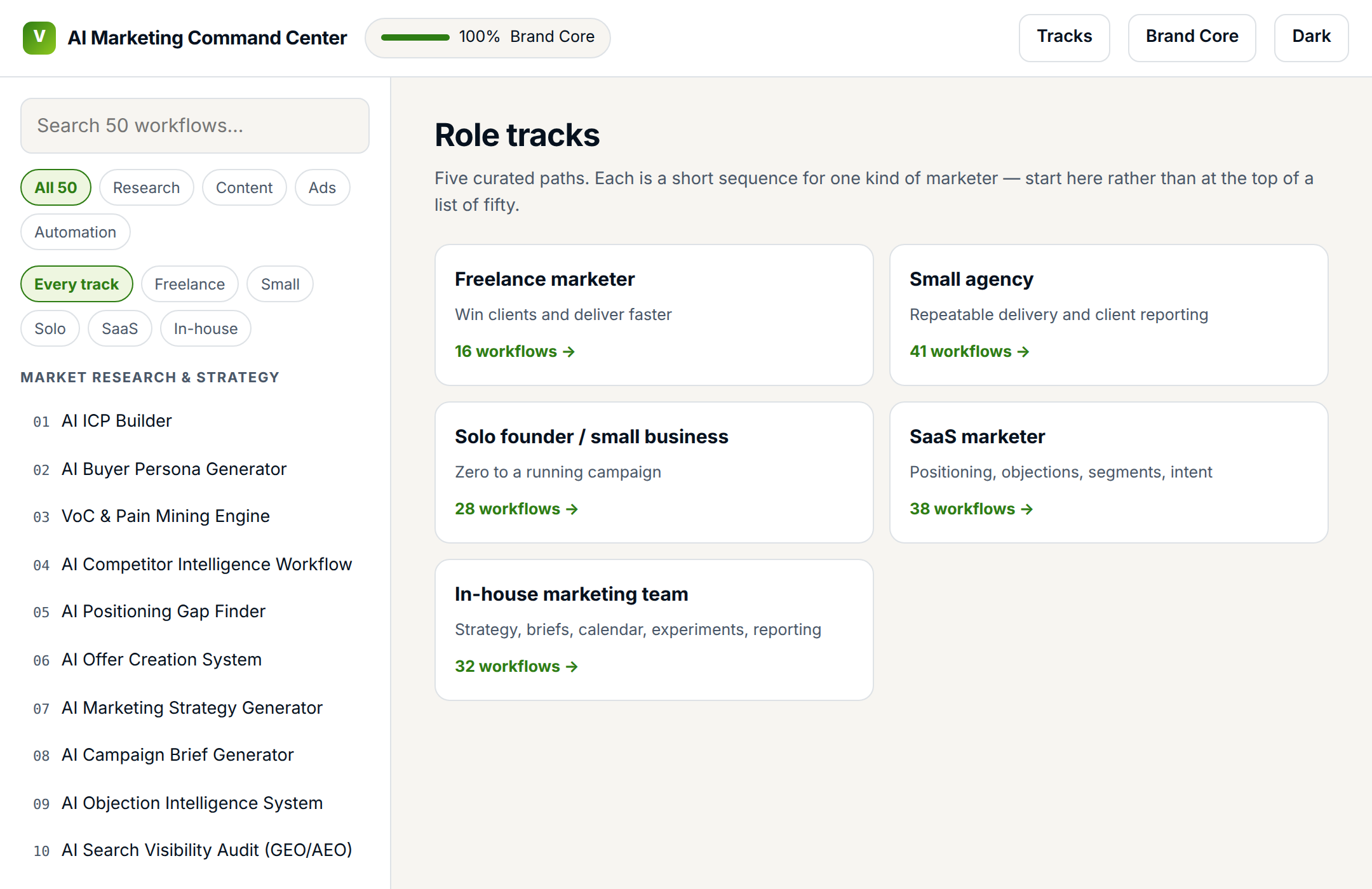
You never open this and face 50 things.
Pick the one that sounds like you. You get a short sequence and a 14-day plan instead of a library.
Freelance marketer
Win clients and deliver faster
Small agency
Repeatable delivery and client reporting
Solo founder / small business
Zero to a running campaign
SaaS marketer
Positioning, objections, segments, intent
In-house team
Strategy, briefs, calendar, experiments, reporting
09 / Automation
Deep on n8n. Honest about the rest.
Automation is the most attractive part of a product like this, and the easiest place to overpromise. So here is exactly what you get.
n8n — 10 working blueprints
Real JSON files you import and run. Not screenshots of a canvas.
- Every one was imported into a live n8n instance and confirmed to load before shipping
- Scheduled triggers, branching, error paths and retry handling built in
- Every credential slot documented; no keys baked into the files
- A setup guide covering credentials, spend caps and what to watch on the first run
Make and Zapier — written setups
Step-by-step configuration with field maps, not import files.
- Module-by-module instructions with the exact fields to map
- Why: an import file for these platforms breaks the moment either changes a connector, and a stale file is worse than none at all
10 / What you are actually buying
Six things, and none of them is a folder of prompts.
Trigger, data contract, prompt chain, QA criteria, KPI formula, failure modes — thirteen blocks, on every one. Writing a single workflow to that standard is a day's work. This is fifty of them.
One profile, 117 typed variables, injected on every copy. The reason output compounds instead of restarting.
Every workflow in full, with its own diagram. Roughly three business books by length, and built to be worked from rather than read once.
Creative fatigue index, guarantee costing, VoC scoring, KPI dashboard. Every formula was recomputed independently and checked against the book's worked examples.
Importable JSON, each one loaded into a live n8n instance before it shipped. Not screenshots of a canvas.
A single HTML file that needs no account and no network, plus 53 Notion pages and 14 databases if that is where you'd rather work.
11 / Straight talk
What this is not. Read this before you buy.
Since there are no refunds, I would much rather lose the sale on this section than have you find out afterwards.
- Not a done-for-you service. These are workflows you run. The first pass at each one takes real time — most cards state the manual baseline in minutes so you can see it before you start.
- Not a way to skip knowing your own business. The Brand Core needs five honest answers from you. Garbage in, confident garbage out — just faster than before.
- Not a guarantee of results. No earnings claims, no case studies, no testimonials — because I am not going to invent any. What is guaranteed is the method, the measurement, and that anything broken gets fixed.
- Not fully automated out of the box. 10 of the 50 have importable blueprints. The rest are manual or semi-automated, and every card says honestly which it is.
- Not a compliance opinion. Where a workflow touches consent, disclosure or claims substantiation it says so and tells you to confirm the rules for your market. That check is yours.
- Not the same as my n8n automation suite. That one automates business operations. This one runs your marketing thinking. They cross-link and they do not overlap.
12 / Support
Buy it once. Own the files. Keep every update.
If something is broken, I fix it. No time limit.
A formula that returns the wrong number, an n8n blueprint that will not import, a prompt that does not behave the way it is written up — email me and I will fix it and reissue the file. That costs you nothing and there is no window on it.
There are no refunds. This is an instant download: the moment you pay, the whole library is on your machine, so all sales are final. That is precisely why every workflow name, the complete file tree, real screenshots and sample pages from the book are published on this page — you should be deciding with the contents in front of you, not afterwards.
What you may do
- Use everything for your own business
- Use it on unlimited client projects, including paid work
- Adapt, edit and extend anything in it
- Keep it forever — no expiry, no seat check
- Take every future update, free
What you may not do
- Resell or redistribute the files
- Publish the contents in a course or members' area
- Repackage it as your own product
- Share one licence across a team — one person, one licence
Questions before you buy, or something broken after: prashant@thecodesmith.tech. I answer them myself.
13 / Get it
The whole Vault, one payment, yours for good.
one-time · no subscription · free updates for life
14 / Questions
Answers before you ask.
Is this just a prompt pack with better packaging?
No, and the difference is structural. A prompt pack gives you text to paste. Every workflow here carries a trigger that tells you when to run it, a data contract for what goes in, a QA checklist with reject criteria, a KPI with its formula, and the three ways it fails. That is why 141,000 words sit behind 50 workflows — the instructions are the product. The prompts are one of thirteen blocks.
What is the Brand Core, really?
One profile you fill in once: what you sell, to whom, at what price, in what voice, with which proof and which claims are banned. All 151 prompts are written against it using 117 typed variables. The Command Center stores it and injects it every time you copy a prompt, so workflow 34 already knows what workflows 1, 2 and 17 established. Five fields you write yourself; the rest get filled in by workflows as you run them.
Do I need to pay for AI tools on top?
You need one chat assistant. Claude or ChatGPT, and the free tier is enough to start — the prompts are model-agnostic and the book notes the few places where long context or vision actually matters. Every workflow lists a free tool path alongside the paid one. The n8n blueprints do need an API key, and that is metered usage you control.
How current is this? AI marketing dates fast.
It was built for 2026, which is why there are workflows for AI search visibility — auditing whether your brand appears in ChatGPT, Perplexity and AI Overviews, rewriting pages so engines can cite them, and tracking share of answer against competitors. A product written a year ago does not have those. Updates are free for life.
Will the automation blueprints run without me?
The 10 n8n files import and run on a schedule, yes — each one was imported into a real n8n instance before shipping, and the setup guide covers credentials and cost caps. But run the manual version two or three times first. These execute against your live data on a timer, and you want to know what good output looks like before nobody is watching. Make and Zapier get written setup guides with field maps rather than import files.
Are the results in the worked examples real?
The outputs are real generations. The businesses are not — they are three fictional companies, labelled as fictional everywhere they appear, used so the examples chain together across all 50 workflows. There are no invented statistics, no fake case studies and no earnings claims anywhere in this product.
Can I use this for client work?
Yes — unlimited client projects, including paid work, and there is a white-label report shell for it. What you cannot do is resell or republish the files themselves. The licence is one page and says exactly this.
There are no reviews or testimonials. Why should I trust this?
Because it is new, and I would rather say that than manufacture social proof. There are no testimonials, no star ratings and no customer counts on this page, because there are no customers yet — and inventing them is exactly the behaviour this product has a whole workflow dedicated to preventing. What you get instead is everything checkable, before you pay: all 50 workflow names, the complete file tree, real screenshots of the actual app, sample pages from the book, and sample pages of the book itself. Everything is on the table before you pay.
Forty-nine dollars is not nothing. Is it actually worth it?
Here is the arithmetic, and you can judge it. One workflow written to this standard — trigger, data contract, prompt chain, reject criteria, KPI formula, failure modes, worked example — is a full working day. There are fifty of them, plus 26 templates with live formulas and 10 automation blueprints tested on a real instance. If the whole thing saves you one afternoon of re-explaining your business and re-deriving what good looks like, it has paid for itself. And because there are no refunds on a download, every one of those numbers is listed on this page so you can check the claim before you buy rather than after.
How fast will I actually see something?
First real output in about an hour: open the app, fill in five Brand Core fields, run WF-01 and you have a written ICP with a disqualifier list. Follow a track and by day 14 you have a positioning statement, a campaign brief, a month of calendar, 30 content assets and a baselined dashboard. The 14-day plan is in the box, dated.
Can I get a refund if I change my mind?
No, and I would rather say that plainly than bury it in the small print. This is an instant download — the moment you pay, the entire library is on your machine, so all sales are final. What you do get instead is support with no time limit: if a formula is wrong, a blueprint will not import, a prompt is broken, or anything does not work the way this page describes it, email me and I will fix it and reissue the file. That is also exactly why the complete contents are published above — all 50 workflow names, the full file tree, real screenshots and sample pages from the book — so you can decide with the thing in front of you rather than after the fact.
The next blank prompt box is going to ask you the same questions again.
Answer them once instead.